

Choosing a Marking System That Anyone Can Use
Built for the Line, Not the Desk
An incorrect code doesn’t always come from the printer. Sometimes, it starts at the screen.
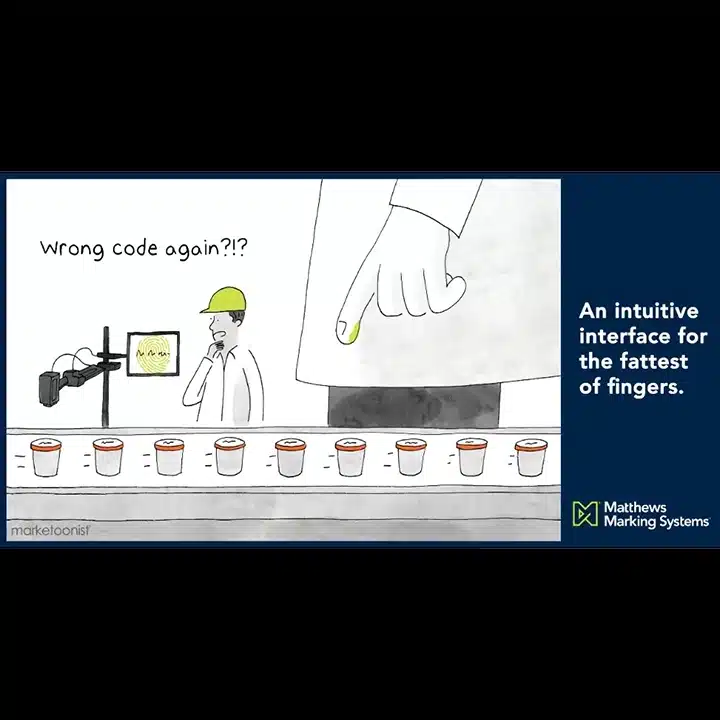
The cartoon exaggerates it. A giant stands in for the reality of operators working with gloves on or moving quickly, where hitting the wrong input is easier than it should be. On the plant floor, operators are moving quickly, often with gloves on, switching between lines and systems. When the interface slows them down or makes inputs unclear, mistakes happen. Not because the operator doesn’t know what they’re doing, but because the system makes it easy to get it wrong.
Where Coding Errors Actually Start
Most coding issues do not come from one big failure. They come from small moments. Selecting the wrong field, entering the right data in the wrong place, switching between systems that do not work the same way, or rushing through a process that takes too many steps.
Changing Codes Should Be Easy
Changing a date code should not require navigating multiple menus or double checking across different screens, but in a lot of setups, it does. The longer it takes to make a change, the more chances there are to miss something. That is where errors start to creep in.
Most systems can technically do what is needed; that is not an issue. The issue is how easy they are to use in real conditions.
Small buttons, cluttered layouts, different interfaces depending on the printer, and no clear confirmation before printing all add friction. On a production line, that friction turns into mistakes. If a system needs to be explained every time someone uses it, it is already working against you.
Designed for Real-World Use
An intuitive interface is not about looking clean on a screen. It is about reducing the chance of getting something wrong. That means clear message setup with minimal steps, large and readable layouts, and a consistent experience across devices.
A big part of the problem is not just the interface. It is the number of them. Different printers often mean different systems, different workflows, and different ways to make the same change.
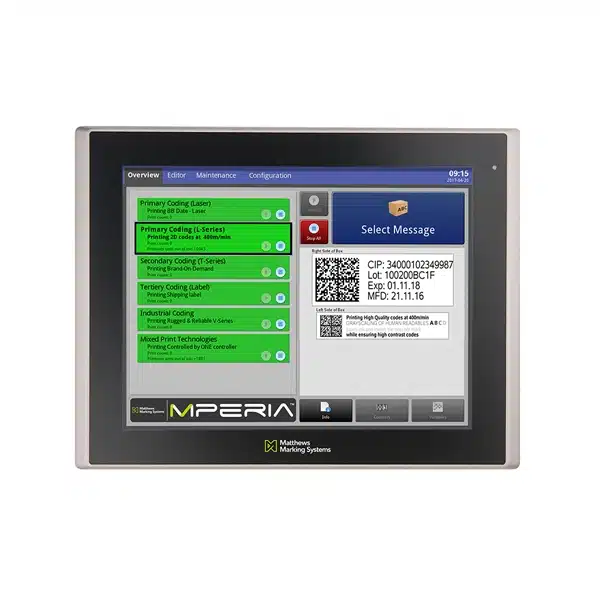
That is where things break down. our MPERIA® control platform brings everything into one structure, allowing operators to create, edit, and manage messages across inkjet, laser, and labeling systems from a single interface. Instead of jumping between systems, they work within the same environment every time. Fewer steps and fewer decisions naturally reduce the chance of getting something wrong.
Consistency Without the Extra Effort
When every line runs differently, consistency becomes something you have to actively manage. When everything runs through one interface, consistency is built in.
Messages can be created once and applied across lines, and changes follow the same process every time. Operators do not have to adjust based on the equipment. They follow a consistent workflow. That kind of standardization does not just save time. It reduces variability, and variability is where mistakes tend to start.
Fewer Steps Equals Fewer Errors
Changing a message should take seconds, not feel like a process. The more steps involved, the more opportunities there are to miss a field, select the wrong option, or apply the wrong message to the wrong line.
Simplifying that process is not just about speed. It is about control. When operators can make changes quickly and clearly, they are more likely to get it right the first time.
Small Moments Add Up
One wrong digit does not seem like much until it affects an entire run. Coding errors do not usually come from one big mistake. They come from small moments, unclear screens, extra steps, and systems that do not line up.
When the interface is built for the environment it is used in, those moments become easier to avoid. That is where the difference shows up.
Take a Closer Look
If your team is still working across multiple systems, it might be worth taking a closer look at what it’s costing you. Most of the time, it is not the printer causing the problem; it is everything around it.