

How to Choose a Wood Marking System for Sawmills
Choosing a wood marking system is not just about finding a printer that can place ink on lumber. You need a system that can operate reliably in your mill, keep pace with production, and produce readable marks on wood surfaces that are rarely uniform.
Dust, vibration, moisture, and changing temperatures can all affect marking performance. Your products may also vary in grain, texture, treatment, and surface condition. A system that performs well during a controlled demonstration may not deliver the same results on your actual production line.
Before you choose a wood marking system, evaluate how well it fits your environment, products and daily operating needs.
1. Start with Your Production Environment
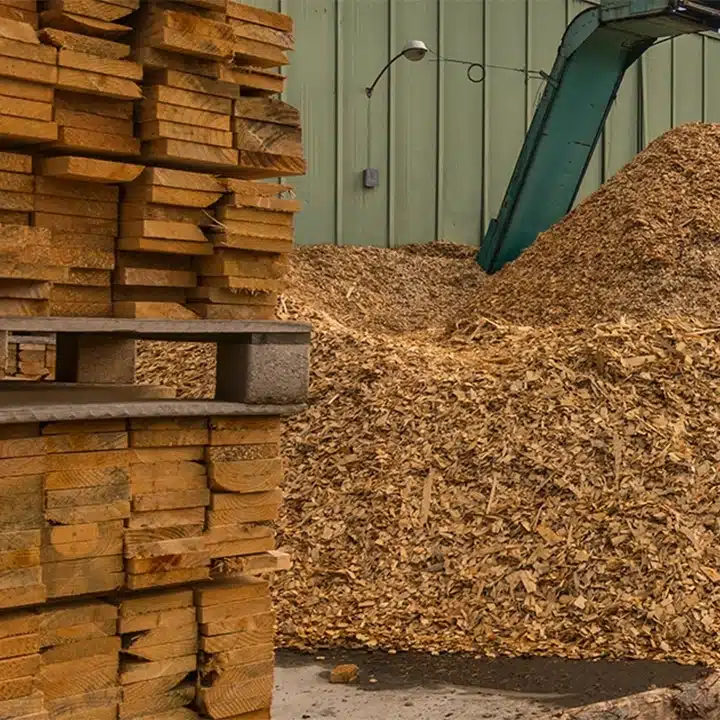
Your marking equipment may be installed near saws, conveyors, sorters, or stacking equipment. In these areas, sawdust and airborne debris are part of normal production.
If a printer is too sensitive to dust or requires frequent cleaning, it can quickly become another source of downtime. Vibration, humidity, and temperature changes can also affect reliability if the equipment is not designed for industrial conditions.
Before selecting a system, ask:
- Can it operate reliably in dusty production areas?
- Will vibration affect the printer or its mounting?
- How often will your team need to clean or adjust it?
- Can it perform consistently throughout long production shifts?
You should choose equipment that fits the conditions in your facility rather than equipment that requires the environment to be carefully controlled.


2. Evaluate the Wood Surfaces You Need to Mark
Not all wood surfaces respond to marking in the same way. Rough-sawn lumber, planed boards, pallets, treated wood and engineered wood products can differ significantly in texture and ink absorption.
Moisture, coatings, treatments, and surface debris may also affect contrast and readability. A setup that works on smooth lumber may need to be adjusted before it can produce the same result on rough or porous material.
Consider whether you need to mark:
- Rough-sawn lumber
- Planed lumber
- Treated or coated wood
- Hardwood or softwood
- Pallets
- Engineered wood products
- Timbers and building materials
- Wood packaging
You should test the marking system on your actual products whenever possible. Samples should be evaluated using the expected ink, print distance, message content and production speed.
3. Define What the Mark Needs to Accomplish
Before comparing printers, determine exactly what information you need to place on the product.
You may only need a short product identifier, or you may need to print larger and more detailed information such as:
- Grade marks
- Product numbers
- Production dates
- Lot or batch codes
- Facility or line identifiers
- Logos and branding
- Customer-specific information
- Shipping or handling details
The amount, size, and complexity of the information will affect the equipment and printhead configuration you need.
You should also consider how the product will be handled after marking. If the code becomes difficult to read after stacking, transportation, or storage, it may not support your traceability or identification process.

4. Test Performance at Your Actual Line Speed
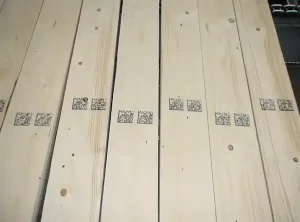
A readable mark produced while the line is stopped does not prove that the system will perform during normal production.
Product movement, inconsistent spacing, and changes in printhead distance can all affect print quality. The printer must be evaluated as part of the full application, including mounting, triggering, and product detection.
Review factors such as:
- Conveyor speed
- Product spacing
- Product orientation
- Printhead distance
- Print location
- Required mark size
- Triggering method
- Operator interaction
Your goal should be consistent, readable marking during normal production—not just one successful print during a demonstration.
5. Consider Maintenance and Operator Use
Your maintenance team already supports saws, conveyors, sorters, and other essential equipment. Your marking system should not create unnecessary work or require constant troubleshooting.
Ask how often the printer needs routine attention and whether operators can handle basic tasks without calling maintenance.
You should consider:
- How often the system requires cleaning
- Whether message changes are straightforward
- How easily operators can monitor performance
- How quickly common issues can be corrected
- Whether replacement parts and support are available
- How much training your team will need
Low maintenance does not mean maintenance-free. It means the system can support your production schedule without repeatedly interrupting it.
6. Make Sure the System Fits Your Line
Your available space and product flow will affect how the system is installed.
You may need to mark the top, side, or end of a board. The printer, mounting hardware, controls and sensors should be configured around how your products already move through the facility.
Before selecting a system, review:
- Available mounting space
- Product orientation
- Required mark placement
- Conveyor speed
- Operator access
- Maintenance access
- Exposure to dust and debris
- Connections to existing controls
A printer may produce a high-quality mark and still be the wrong choice if it is difficult to integrate or maintain in its installed location.
7. Look Beyond the Purchase Price
The initial cost of a marking system is only one part of the investment.
Frequent downtime, maintenance labor, consumables, manual remarking and lost production can make a lower-cost system more expensive over time.
When comparing your options, account for:
- Equipment and installation
- Ink and other consumables
- Routine maintenance
- Operator time
- Downtime risk
- Rework or remarking
- Expected service life
- Technical support
The best system is not necessarily the one with the lowest purchase price. It is the one that provides dependable performance at a practical long-term operating cost.
Where the Matthews V-Series Fits
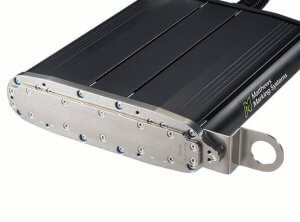
The Matthews V-Series Drop-on-Demand inkjet printer is designed for demanding industrial marking applications and can be configured for wood and lumber production environments.
You can use the V-Series for direct marking applications such as product identification, grade information, branding, production details and traceability. The system can also be integrated around different product orientations and production-line layouts.
If you are looking to reduce manual marking, improve code consistency or replace equipment that requires frequent attention, the V-Series may be a strong option for your operation.
Because every wood application is different, your printer, ink and integration approach should be evaluated using your actual products and operating conditions.
Make Your Decision Based on Your Application
Before choosing a wood marking system, confirm that it can:
- Operate reliably in your mill conditions
- Produce readable marks on your specific wood products
- Keep pace with your normal production speed
- Fit into your available space and controls
- Be used and maintained easily by your team
- Support your current and future identification needs
- Provide reasonable long-term operating costs
The right system should support your production process rather than become another source of maintenance, inconsistent marks, or downtime.
Matthews Marking Systems can evaluate your wood products, production environment and marking requirements to help you determine whether the V-Series is the right fit for your operation.